

Viz Flowics live graphics from a browser.
- Call to order
- Public comment
- Ordinance, second reading
- Adjournment
Which session next?
Press a key to put a graphic on air. Press it again to take it off.
Campus sports: scorebugs and game clocks fed from the scoreboard or a stats service, player stats and sponsor graphics.
Council meetings: speaker names and titles, agenda items and a crawler, from a Google Sheet the clerk can update.
Worship: scripture, song lyrics and announcements as lower thirds.
Corporate and events: titles for town halls and webinars, tickers, and live polls as an add-on.
Viz Flowics is Vizrt's cloud platform for scorebugs, lower thirds, tickers and sponsor graphics, built in a web browser and fed by live data. It works with any switcher that takes a web page or NDI source, and it is built into TriCaster. We build your package, connect your data, set up your switcher and train your crew.
Prefer to talk? (888) 656-6233Vizrt Platinum Partner · East Rutherford, NJ
HTML5, NDI and SDI
One graphics output for any switcher.
Flowics draws the graphics as a transparent layer, and your switcher puts them over the picture. Four routes get it there.
A web page with transparent graphics, from Vizrt's cloud
- Web page sourceA switcher, streaming software or playout system that accepts a web page as a sourceKeyed over the program
- NDIThe Flowics NDI Converter, a desktop app on a Windows PC on the same networkAn NDI source for any switcher on the network
- SDI key and fillViz Connect TetraKey and fill into a hardware SDI switcher
- TriCaster Live LinkThe TriCaster itself, with no extra computerKeyed on a downstream keyer
TriCaster Graphics, powered by Viz Flowics
Built into TriCaster, fired from the switcher.
On a TriCaster, Flowics needs no converter and no extra computer. The switcher renders the graphics itself, the director runs them from macros, and two TriCaster models come with a Flowics plan.

Live Link
The TriCaster loads your Flowics output in a media buffer and keys it on a downstream keyer. TriCaster Mini, Prizm and Vizion include Live Link.
Macros
TriCaster macros take graphics in and out, step through lists, run timers and sync a Google Sheet, so one panel runs video and graphics.
Included plan
TriCaster Vizion includes Viz Flowics Basic for 36 months. TriCaster Mini S includes Viz Flowics Go for three years.
Templates and Rundown Control
Run the show from a browser.
Vizrt includes more than 140 free templates. We build your package from them or from your own artwork, in your colors.
- Operators work from a computer or tablet, and several people can run the same show at once.
- Rundown Control holds the show's graphics in playlists built before air, fired one by one during the show.
- Artwork made in Photoshop can be converted into a Flowics graphics package.
- Opening titlePlayed
- Live bugOn air
- Speaker: Council PresidentOn air
- Agenda: Public commentNext
- Crawl: public comment rulesReady
- Closing slateReady
Viz Data Connectors
Graphics that update from live data.
Connect a Google Sheet, an RSS or JSON feed, a stats service or the venue scoreboard, and the graphics change without anyone retyping them.
- Google Sheets, RSS and JSON feeds work on every plan.
- Scoreboard connectors read the venue scoreboard through an interface or by reading its digits optically. Most carry a separate Vizrt license, plus the interface hardware or service.
- College and high school stats services are available as data connectors.
- Data from a computer in your building reaches Flowics through the Data Bridge, from the Basic plan up.
Viz Flowics plans
Four plans, by users and features.
| Plan | Users | What it adds |
|---|---|---|
| Go | 2 | Google Sheets, RSS and JSON data, timeline animations, a text crawler and 2 GB of assets. |
| Basic | 4 | Everything in Go, plus the Data Bridge, custom fonts, X and Instagram search, 24/7 chat support from Vizrt and 5 GB. |
| Professional | 10 | Everything in Basic, plus five teams, role-based access, the templated ticker and 10 GB. Billed annually. |
| Enterprise | 30 or more | Everything in Professional, plus unlimited teams, single sign-on, output tally, priority support and 20 GB or more. |
Every plan includes one live graphics output; a stream and an in-venue screen with different graphics need two. From Basic up, users and outputs can be added. Social live chat, polls and scoreboard connectors are add-ons.
New Jersey Lottery
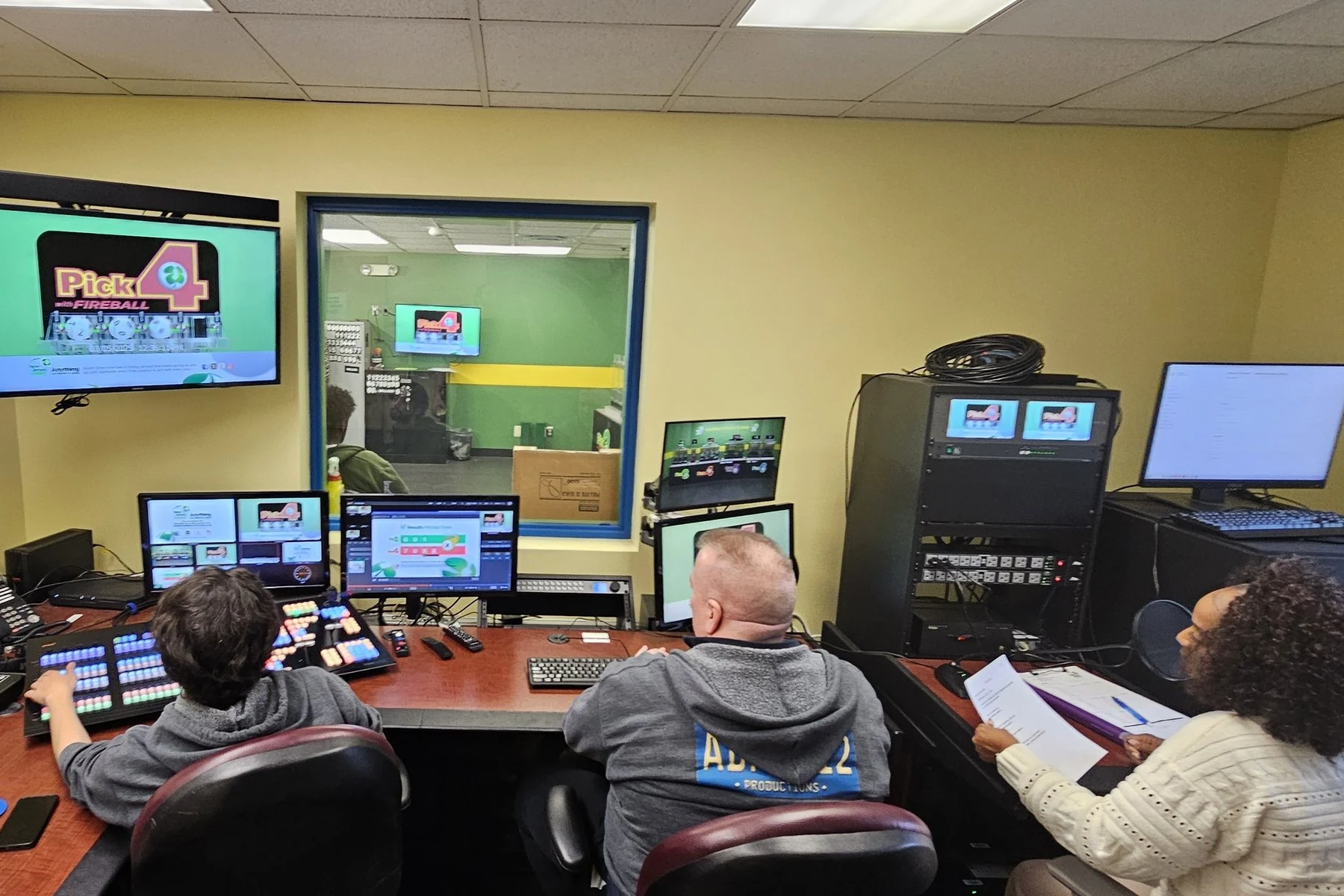
Draw graphics on Flowics, three times a day.
The New Jersey Lottery's on-air package runs on Flowics, commissioned by Varto. During each of the three live draws a day, operators fire pages prepared in advance instead of building them on air.
We build the package and train your crew.
We set Flowics up around the show you run.
- Graphics package: templates set up with your branding, or your Photoshop artwork converted into Flowics.
- Data: the scoreboard, stats service, Google Sheet or RSS feed connected and tested.
- Switcher setup: on a TriCaster, Live Link and macros, so graphics fire from the switcher; on other switchers, the web page or NDI source.
- Training: students, volunteers or staff trained to run graphics from a browser.
What to send for a Flowics quote
- Switcher: the make and model, or how graphics reach your program today.
- What goes on air: sports, meetings, services or events, with a recent example.
- Data sources: the scoreboard make and model, the stats service, or the spreadsheet you keep.
- Artwork: logos, colors and any Photoshop files.
- Outputs: how many feeds need different graphics at the same time.
- Network: whether the production room can reach the internet, and who in IT approves it.
Buying questions
Does Flowics need an internet connection?
Yes. Design, control and data run through Vizrt's cloud; only the rendering happens in your building. Your network has to allow outbound connections to Vizrt's services on port 443, and Vizrt recommends a stable connection of 3 Mbps or more for live operation. We give your IT team the list.
What does the NDI Converter run on?
A Windows 10 or later, 64-bit computer on the same network as the switcher.
See Flowics run a live show.
Book a demonstration in our East Rutherford control room, by appointment. Tell us what you put on air and which switcher you use, and we show you how Flowics runs it.